Tesla MCU, HW, and FSD Explained: How to Check Hardware Versions & Track Their Evolution

May 8,2025

Share:

1. What Are MCU, HW, and FSD?

MCU (Media Control Unit):
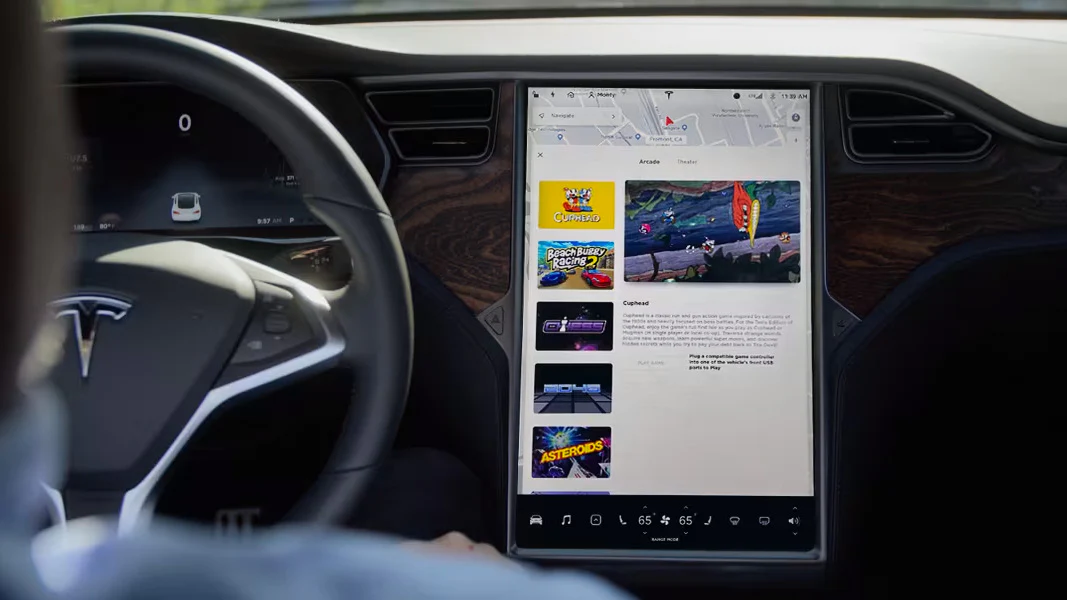
The MCU powers your Tesla’s touchscreen. It handles maps, apps, games, and vehicle settings.

HW (Autopilot Hardware):
This includes the computer and sensors for Autopilot and Full Self-Driving (FSD).

FSD Computer:
A specialized chip inside the Autopilot hardware for processing self-driving tasks.

Term Role Example Features
MCU Infotainment Navigation, Netflix, software updates
HW Autonomous driving Autosteer, lane changes, collision avoidance
FSD Computer Advanced AI processing Traffic light recognition, parking

2. How to Check Your Tesla’s Hardware Version
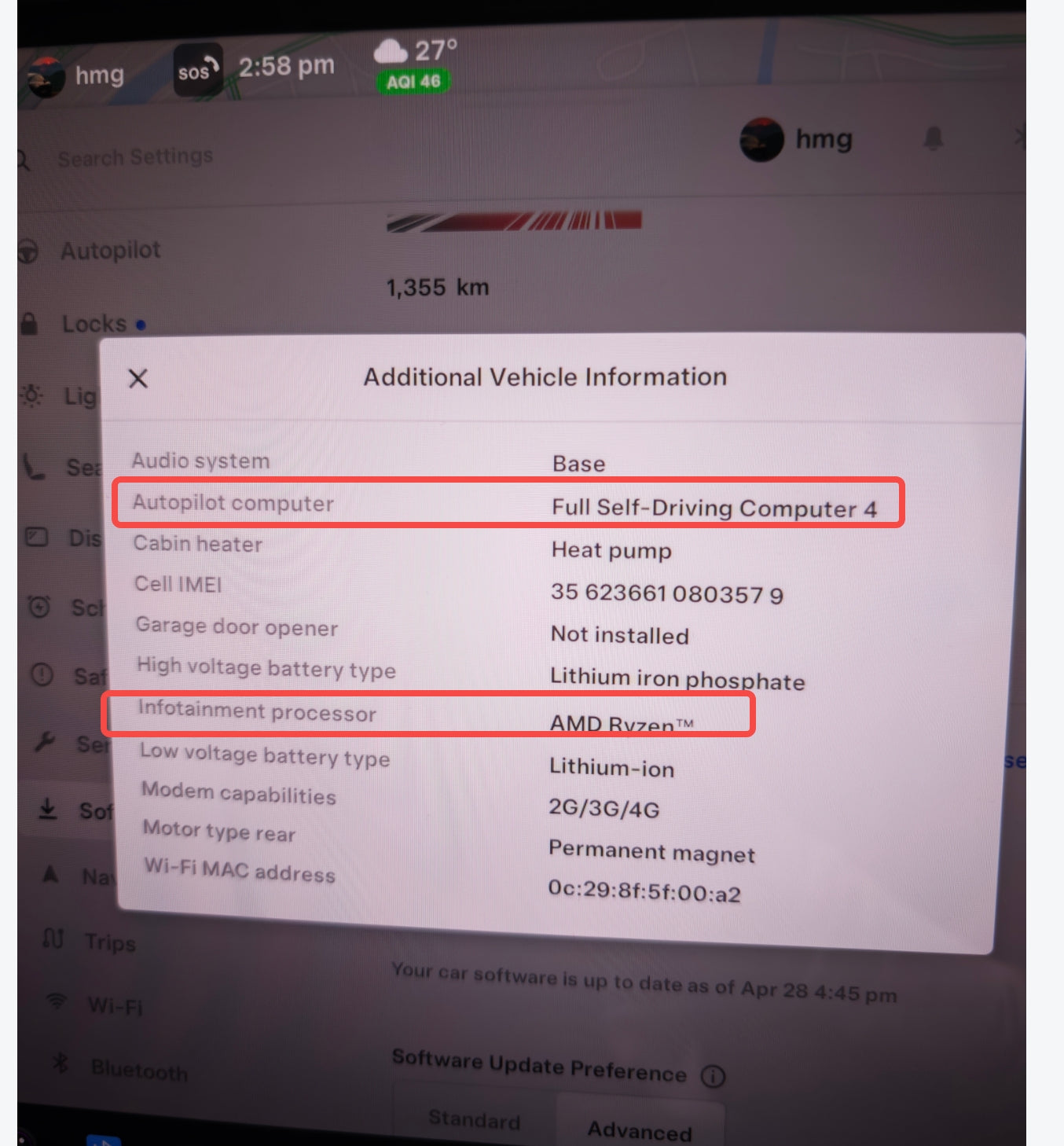
Step-by-Step Guide:

  1. Tap the Car Icon on your Tesla’s touchscreen.
  2. Go to Software > Additional Vehicle Information.
  3. Check these entries:
    • “Infotainment processor”: Shows MCU generation (e.g., MCU2, MCU3).
    • “Autopilot Computer”: Reveals HW version (e.g., HW3, HW4).

Pro Tip:

  • Production dates matter. For example:
    • HW4: Found in vehicles built after January 2023.
    • MCU3: Available in refreshed Model S/X since December 2021.

3. Tesla MCU Generations: A Complete History

MCU Evolution at a Glance:

Generation Processor Years Active Upgradeable? Key Features
MCU1 NVIDIA Tegra 3 2012–2018 Yes (to MCU2) Basic navigation, slow updates
MCU2 Intel Atom 2017–2022 No Faster UI, Netflix/YouTube
MCU3/Z AMD Ryzen 2021–present No 4K graphics, gaming support
MCU4 Unknown TBA TBA Expected future upgrade

Why It Matters:

  • Older MCUs (e.g., MCU1) struggle with modern apps.
  • MCU3’s AMD Ryzen chip enables AAA games like Cyberpunk 2077.

4. Autopilot/FSD Hardware Evolution (HW1 to HW5)

From HW1 to HW5: A Timeline

Generation Processor Years Active Upgradeable? Key Improvements
HW1 Mobileye EyeQ3 2014–2016 No Basic Autopilot features
HW2/2.5 NVIDIA DRIVE PX 2 2016–2019 Yes (to HW3) 8 cameras, radar, Autopilot 2.0
HW3 Tesla FSD Chip (Gen 1) 2019–2023 Limited 144 TOPS, FSD Beta capability
HW4 Tesla FSD Chip (Gen 2) 2023–present No 5MP cameras, 500% faster than HW3
HW5 (AI5) Unknown Expected 2026 TBA Targeting Level 4/5 autonomy

Key Notes:

  • HW2.5 added redundancy for safety but shared NVIDIA chips with HW2.
  • HW3 introduced Tesla’s first in-house FSD chip.
  • HW4 supports future regulatory requirements for autonomy.

5. Key Differences Between HW3 and HW4

Feature HW3 HW4
Camera Resolution 1.2MP 5MP
Processing Power 144 TOPS 720 TOPS
Radar Removed in 2021 Reintroduced (higher precision)
FSD Compatibility Runs FSD Beta v12 Supports future FSD updates
Production Timeline 2019–2023 2023–present

Why Upgrade to HW4?: 

  • Sharper object detection (e.g., pedestrians, traffic cones).
  • Better performance in rain or fog due to radar.
  • Prepared for Level 4 autonomy.

6. FAQs

Q: Can I upgrade my HW3 to HW4?
A: No. Tesla says wiring and sensor differences make upgrades impractical. HW3 owners may receive a “HW3.5” update instead.

Q: Will HW4 achieve Level 5 self-driving?
A: Unclear. HW4 aims for Level 4. HW5 (2026) may target Level 5.

Q: How do I know if my Model 3 has MCU3?
A: Check the software menu. MCU3 vehicles show “AMD Ryzen” under Additional Vehicle Information.

Q: Is HW4 worth waiting for?
A: Yes if you want future-proofing. HW4’s 5MP cameras and radar improve safety.

Final Takeaways:

  • Use Tesla’s software menu to confirm your hardware.
  • HW4 is a leap forward, but HW3 still runs FSD Beta.
  • MCU upgrades (e.g., MCU1→MCU2) enhance infotainment but not autonomy.

Muti-Ports Hidden Center Console USB Charging Hub for Tesla Model 3 Highland 2024-2026/Model Y Juniper 2025-2026

$49.00
$49.00
Perfect Integration
Crafted to match the original center console's color and finish, our USB hub features an industrial-grade molding process that replicates the texture and look of your vehicle's console. Seamlessly integrating as if it was OEM, this design embodies our brand philosophy, "Born to Belong," ensuring that it complements the natural aesthetics and functionality of your Tesla perfectly.

Three Aspects of Elegant Concealment
  1. The hub is tucked beneath the center console, staying completely out of sight when not in use.
  2. The retractable cable automatically pops out with a button press and retracts seamlessly when unneeded.
  3. The power cable is neatly stowed beneath our Console Silicone Bottom Pad (sold separately) for a clean look.
When not in use, it achieves a completely wireless, hidden look, highlighting a perfect blend of simplicity, elegance, and functionality.

Cross-Device Compatibility with Your Existing Cables
As iPhones switch to Type-C, older Apple Lightning cables don’t have to go to waste. Our dock’s built-in Lightning port allows you to repurpose these cables; simply insert the lightning end to charge any Type-C device, including iPhones and Androids, providing seamless cross-device charging with just one cable.

Ultra-Fast Charging & Multiple Charging Ports
Supports up to 100W GaN charging, and high power output, with multi-port simultaneous charging for high-energy conversions.

Light Up Your Console
The streamlined design features integrated LEDs for added style and ambiance.


Model
Quantity
